
🤖 Creating Vocabulary Sets with AI Tools
Artificial intelligence (best Gemini, but also ChatGPT or Claude) is the fastest way to new vocabulary lists. There are no limits: either have extensive vocabulary treasures created for a complete language with many different topic groups or concentrate on compact sets for very specific subject areas. The AI handles the tedious typing for you. Thanks to our converter, no PC is needed anymore – everything works conveniently directly on your smartphone. Use our four examples below to try the process yourself!
🚀 In 4 Steps to Your Vocab Set (Directly on Your Phone)
- Copy Prompt: Use our ✨ Prompt Generator (for new topics) or the 📸 OCR Prompt Generator (for vocabulary from textbook photos) to create a ready-to-use command.
- Feed AI: Open an AI app (best Gemini, or ChatGPT for smaller amounts). Paste the copied text into the writing field and send the message.
- Copy Result: The AI now generates the code. It's best to use the "Copy" icon directly on the AI's black code block or select the text manually (from the first bracket
[to the last bracket]) and copy it. - Convert & Save: Paste the code into the 🔧 CSV/JSON Converter and click on "Download". The file will land in your download folder and can be selected directly in the app.
🚀 Example 1: Vocabulary on a Topic
Perfect for your next vacation or a new hobby. Copy this prompt:
Create a list of 20 Spanish vocabulary words on the topic "At the Hotel".
Output the result exclusively as a JSON array.
Each object in the array must have this structure:
{
  "vocabulary_group": "Hotel",
  "term_learning_language": "[Spanish word]",
  "term_user_language": "[English translation]",
  "learning_status": 1
}
Output only the raw JSON code.
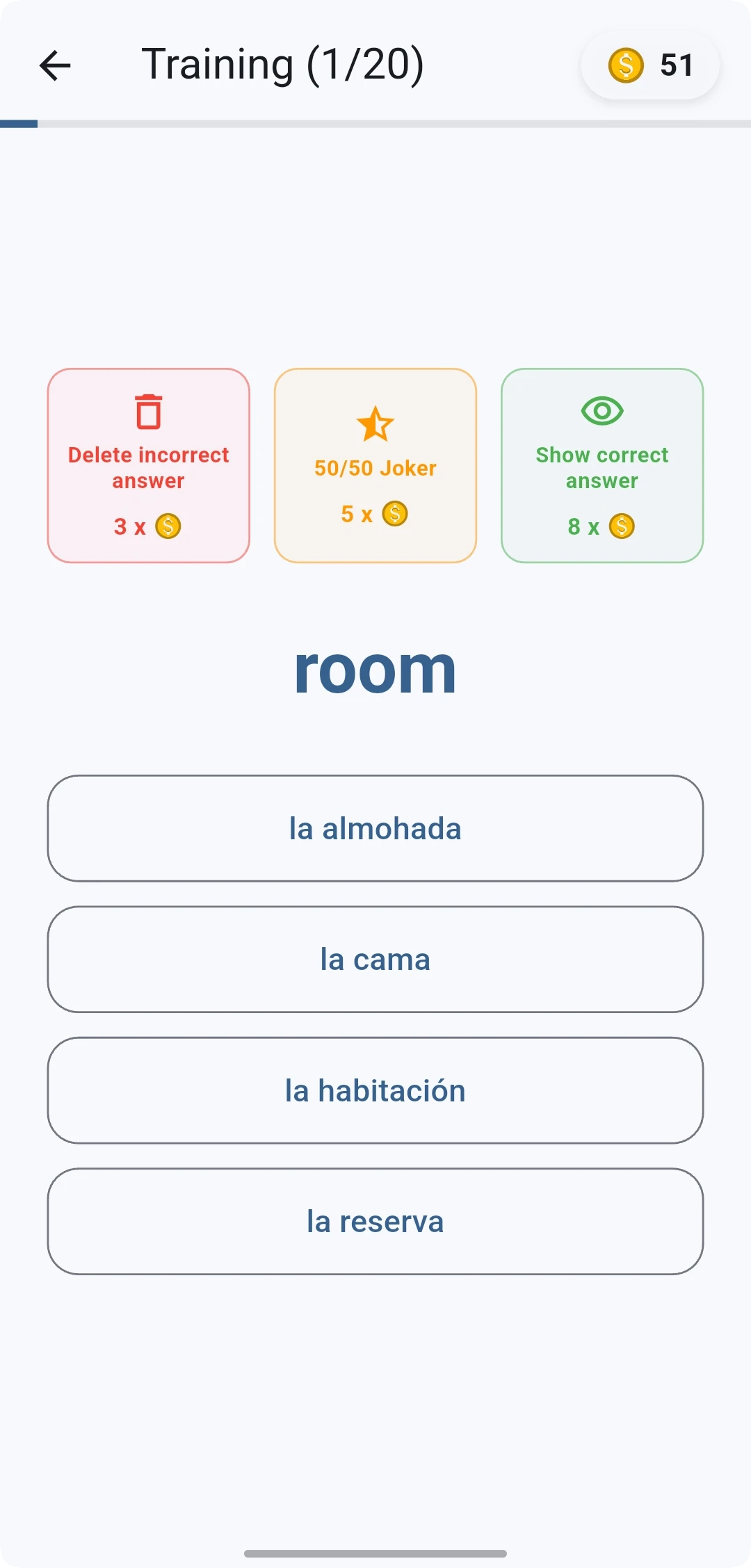
This is what the result looks like after importing into the app:
🎨 Example 2: Visual Memory Aids (Emoji Power)
Pictures help the brain to store words faster. Let the AI build emojis directly into the translation:
Create a JSON list with 15 adjectives on the topic "Feelings & Character" (e.g. alegre, corajudo, cansado).
Important: The English translation in the "term_user_language" field must always contain 1-2 matching emojis (e.g. "tired 😴" or "brave 🦁").
Group: "Character".
Format: [
  {
    "vocabulary_group": "Character",
    "term_learning_language": "...",
    "term_user_language": "...",
    "learning_status": 1
  }
]
Output only the raw JSON code.
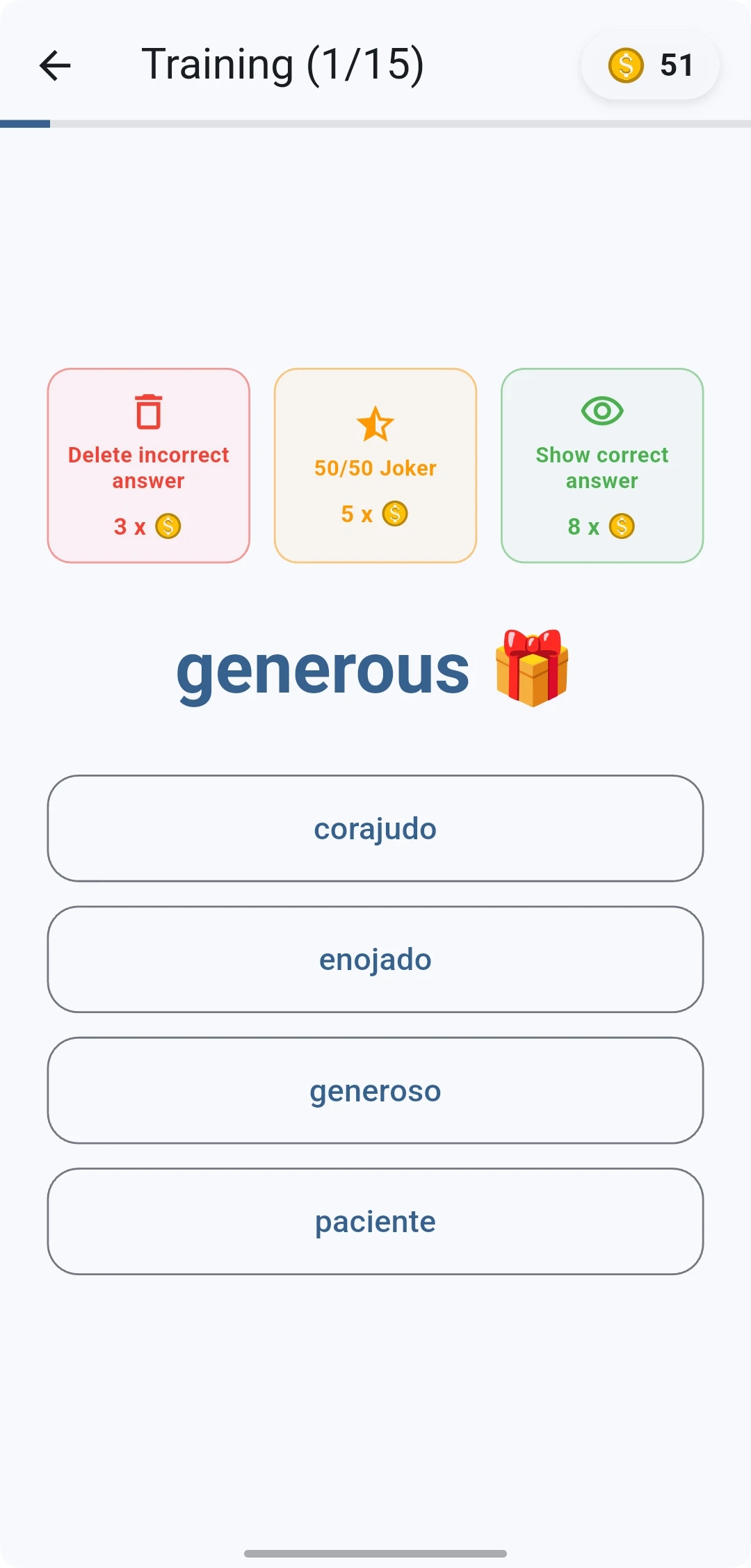
This is what the result looks like after importing into the app:
🧩 Example 3: The "Riddle Mode"
Make a game out of it! The AI writes a short riddle in Spanish, and you have to know the answer:
Create 10 Spanish "What am I?" riddles as a JSON set.
In "term_learning_language", write a short description (e.g. "Soy grande, gris y tengo trompa").
In "term_user_language", only write the solution word in English (e.g. "The Elephant 🐘").
Each object must have this structure:
{
  "vocabulary_group": "Riddle Fun",
  "term_learning_language": "[Riddle text]",
  "term_user_language": "[Solution]",
  "learning_status": 1
}
Output only the raw JSON code.
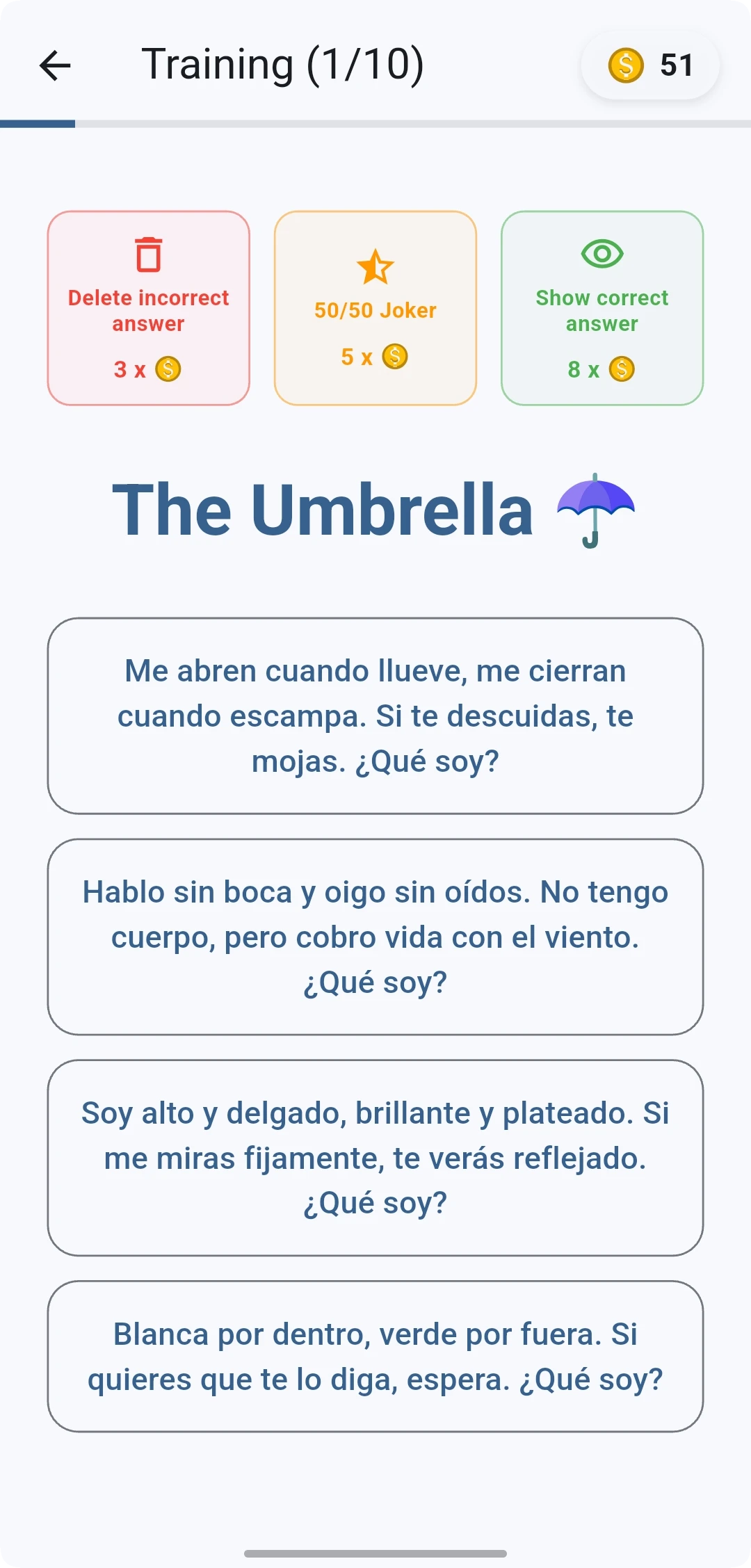
This is what the result looks like after importing into the app:
🌍 Example 4: Support for Multilingualism (Bridge Language)
Use the native language (e.g. Arabic, Turkish or Ukrainian) as a memory aid. The AI automatically adds the translation in parentheses:
Create a list of 10 Spanish vocabulary words on the topic "Family".
In the 'term_user_language' field (the English translation), always insert 1-2 matching emojis.
After the English translation in the 'term_user_language' field, always add the corresponding word in arabic in parentheses (e.g. "the apple (...)").

Output the result exclusively as a JSON array.
Each object in the array must have this structure:
{
  "vocabulary_group": "Family",
  "term_learning_language": "[Spanish word]",
  "term_user_language": "[English translation]",
  "learning_status": 1
}
Output only the raw JSON code.
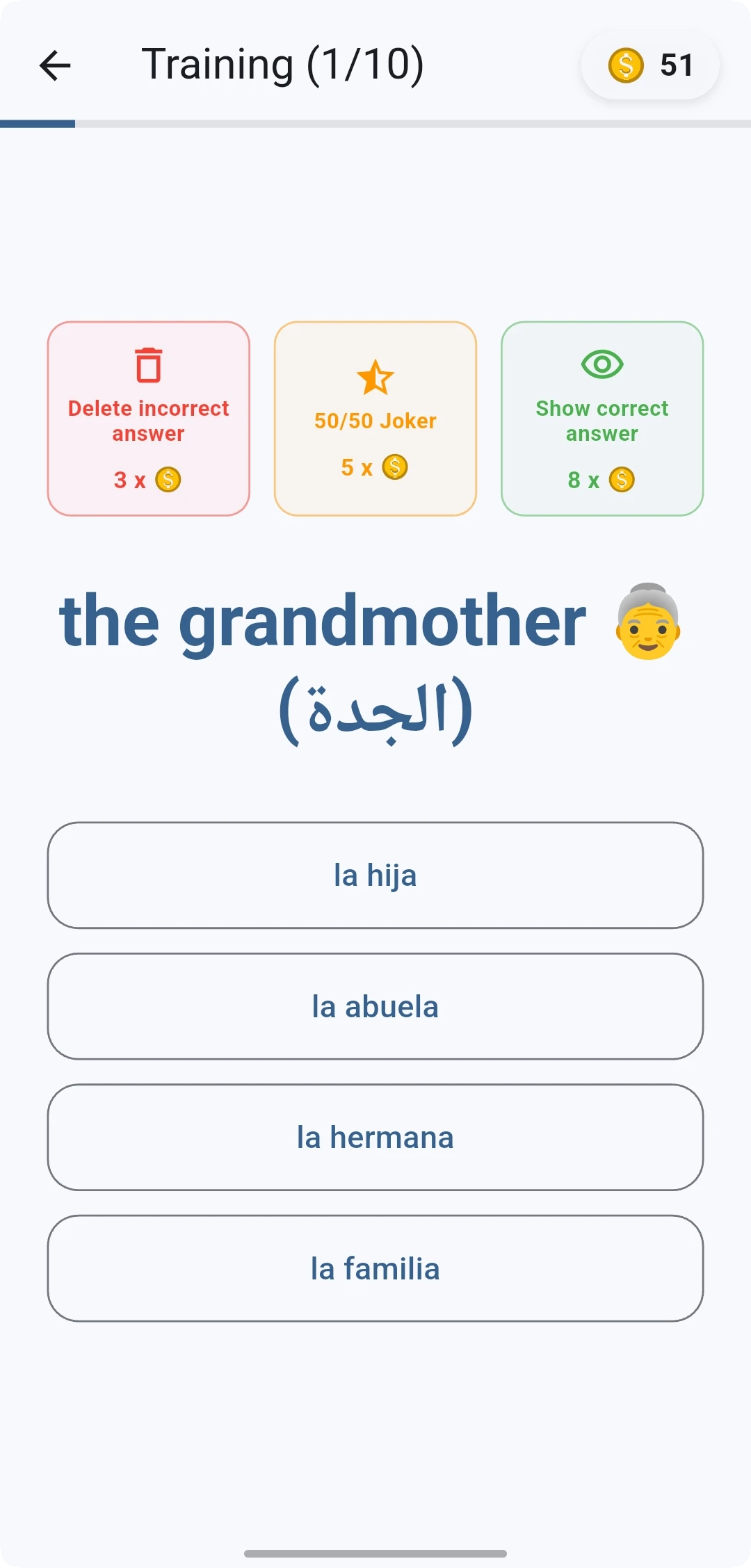
This is what the result looks like after importing into the app:
✨ Too Complicated? Use Our Generators!
Would you like to create larger sets for a language or simply convert texts from textbooks, but writing the AI prompts is too much work for you?
Our generators create the perfect command for your AI based on your wishes or photos.